 CalendarBar
Your Google Calendar in the Mac menu bar.
See what's next, join the call in one click, and get a heads-up before meetings you can't miss. Free, from Kumpan.
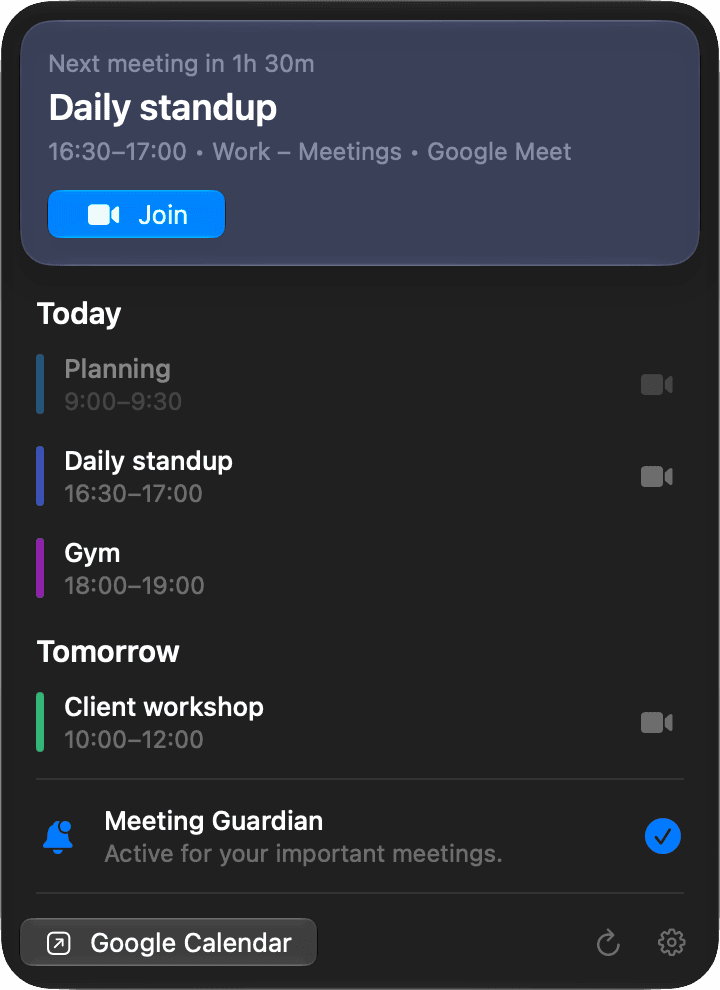
What's next, at a glance
Your next meeting, today's and tomorrow's events, in your calendars' own colours.
Join in one click
Google Meet, Zoom, Microsoft Teams, Webex and more, straight from the menu bar.
Meeting Guardian
A hard-to-miss alert just before meetings with a video link or other guests. Join or snooze.
Work and private
Add several Google accounts. A meeting that's on more than one calendar is shown once.
How CalendarBar uses your Google data
When you sign in, CalendarBar asks Google for read-only access to your calendars and for your email address. It uses them only to show your events and to tell your accounts apart. Everything stays on your Mac: CalendarBar has no server, and your calendar data is never sent to Kumpan or anyone else. Read the privacy policy.